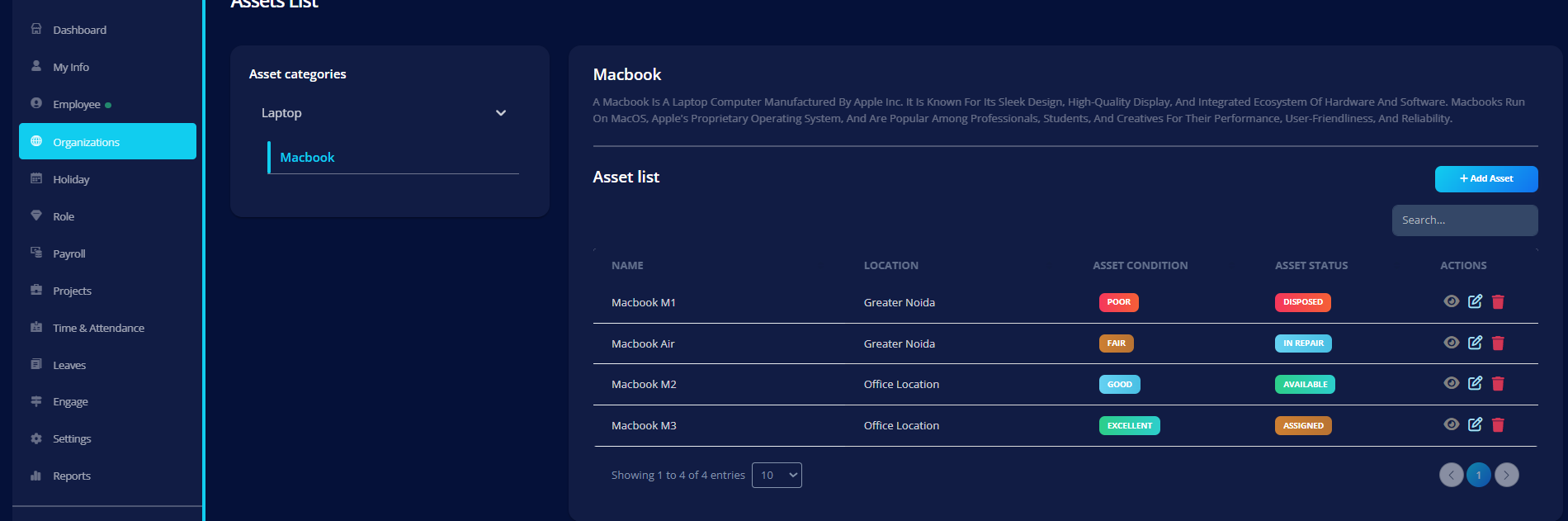
Assets List
The Assets List contains all individual company assets.
Each asset belongs to:
- A Category
- An Asset Type
Creating an Asset
Click Add Asset and fill in:
Basic Information
- Name (Required)
- Asset ID (Required – Unique)
- Location (Required)
Dates
- Purchased On (Required)
- Warranty Expires On (Required)
- Cannot be earlier than purchase date
Status & Condition
-
Asset Status (Required)
- Available
- Assigned
- In Repair
- Disposed
-
Asset Condition (Required)
- Excellent
- Good
- Fair
- Poor
Assigned status cannot be modified directly while editing.
Specifications
You can dynamically add key-value pairs:
Example:
- RAM → 16GB
- Storage → 512GB SSD
- Processor → M3 Chip
Specifications are fully editable.
Asset Image
- Upload image
- Remove image
- Replace image
- Preview supported
Description
- Optional
- AI-assisted generation supported
- Editable and refinable
Editing an Asset
When editing:
- All fields can be updated
- Image can be replaced or removed
- Status may be locked if assigned
Asset Lifecycle
Typical flow:
Available → Assigned → Returned → Available
Why It Matters
Assets List ensures:
- Unique tracking via Asset ID
- Warranty monitoring
- Status visibility
- Specification tracking
- Location-based control