Departments
Departments help organize employees into functional groups such as HR, Finance, or Engineering.
In VoxHRM, Departments are linked to a Legal Entity and can have a designated Department Head.
What is a Department?
A Department represents a functional team within your organization.
Examples:
- Human Resources
- Finance
- Sales
- Engineering
- Operations
How to Create a Department
- Log in to VoxHRM.
- Go to Organization.
- Click Departments.
- Click Add Department.
- Enter department details.
- Click Save.
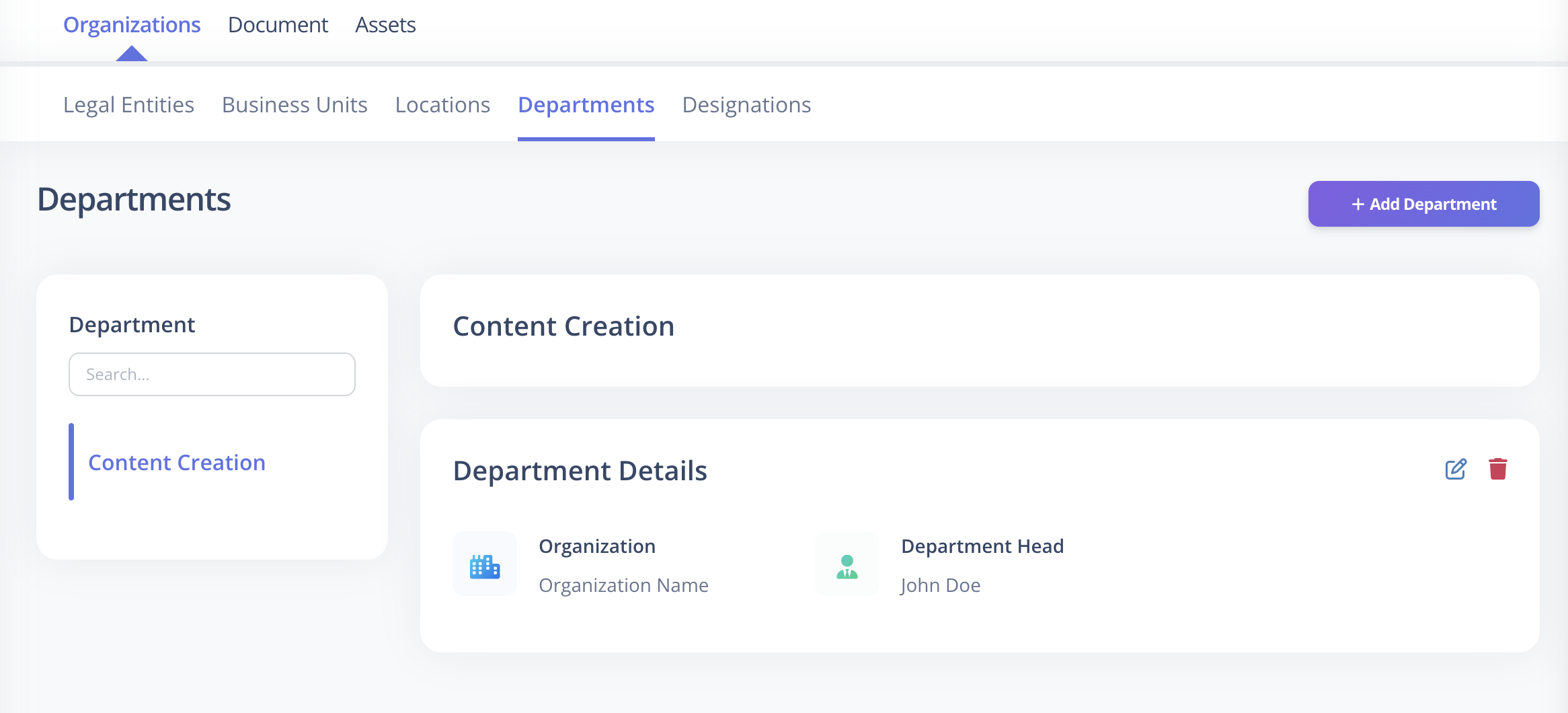
Required Fields
The following fields are mandatory:
| Field | Description |
|---|---|
| Name | Must be unique within the same Legal Entity |
| Legal Entity (Organization) | Select the associated Legal Entity |
Optional Fields
These fields can be configured now or updated later:
| Field | Description |
|---|---|
| Department Head | Assign an employee as the head of the department |
Important Rules
- Department names must be unique within the same Legal Entity.
- Department Head must be an existing employee.
Best Practices
- Keep department names clear and standardized.
- Assign department heads after employee creation.
- Avoid duplicate department names.