Legal Entities
A Legal Entity represents a registered company within your VoxHRM account.
Every employee must be associated with a Legal Entity. This is the foundational structure required before creating employees, assigning payroll, or configuring policies.
How to Create a Legal Entity
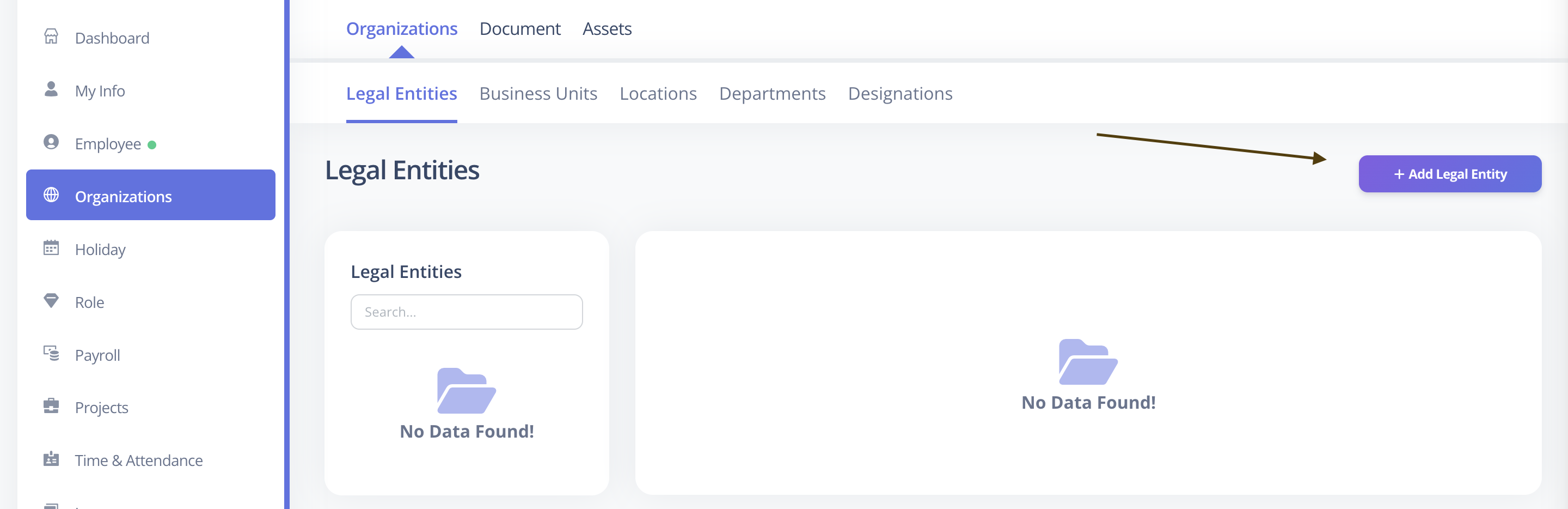
- Log in to VoxHRM
- Navigate to Organization Management
- Open Legal Entities
- Click Add Legal Entity
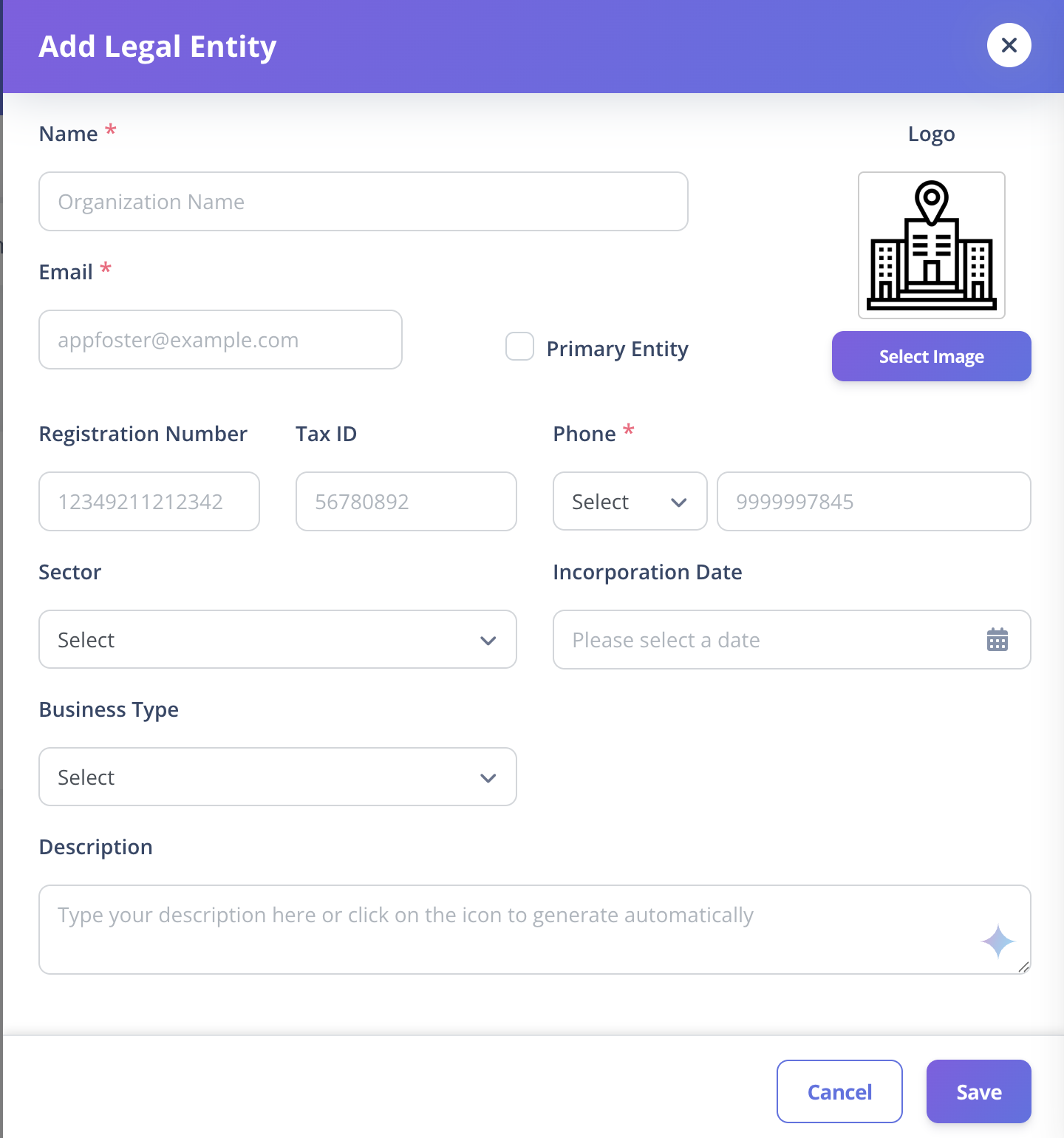
- Fill in the required details
- Click Save
Required Fields
The following fields are mandatory:
| Field | Description |
|---|---|
| Name | Official name of the organization |
| Phone | Primary contact number (8–12 digits) |
| Official company email address |
Optional Fields
These fields can be configured now or updated later:
| Field | Description |
|---|---|
| Description | Brief information about the entity |
| Registration Number | Government registration number |
| Tax Number | Tax identification number |
| Logo | Company logo |
| Phone Code | Country dialing code |
| Incorporation Date | Date of company registration |
| Sector | Industry sector |
| Business Type | Type of business |
| Primary Entity | Mark as main organization (if multiple entities exist) |
Important Notes
- Organization Name must be unique within your VoxHRM account.
- Only one entity should typically be marked as Primary.
- Employees cannot be created without at least one Legal Entity.
Best Practice
If you operate a single company:
- Create one Legal Entity and mark it as Primary.
If you operate multiple companies:
- Create separate Legal Entities for each registered company.
- Assign employees accordingly.
Once your Legal Entity is created, continue with:
This completes the organizational structure required before employee creation.