Asset Categories
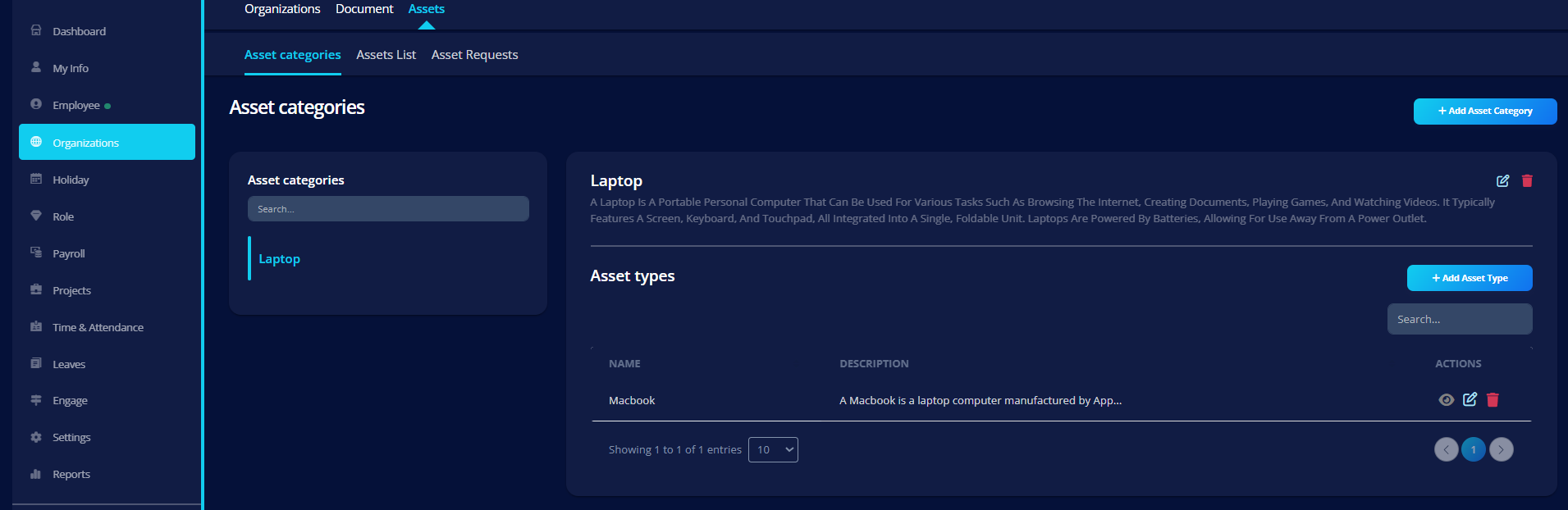
Asset Categories help organize assets into structured groups inside VoxHRM.
Each category can contain multiple Asset Types.
What You Can Do
- Create new asset categories
- Edit existing categories
- Add description (AI-assisted optional)
- Manage related asset types
Creating an Asset Category
Click Add Asset Category and provide:
Fields
- Name – Category name (e.g., Laptops, Furniture)
- Description – Detailed explanation
- AI generation supported
- Editable and refinable
Asset Types Under Category
Each category can contain multiple Asset Types.
Example:
Category: Laptops
Types:
- MacBook Pro
- Dell XPS
- Lenovo ThinkPad
Editing a Category
When editing:
- Name and description can be updated
- Changes reflect immediately across linked asset types
Validation Rules
- Name is required
- Duplicate naming is prevented
Best Practice
Keep categories broad and types specific.
✔ Category → Laptop
✔ Type → MacBook Pro