Asset Requests
Asset Requests manage the assignment workflow between employees and assets.
This tab provides visibility into:
- Pending requests
- Approved requests
- Assigned assets
- Request history
How It Works
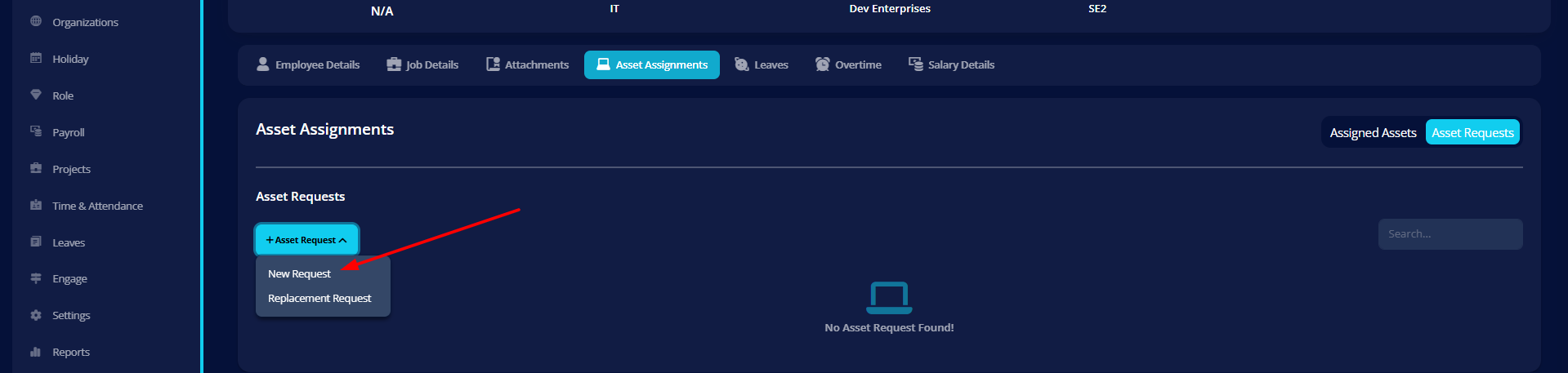
- Employee submits request from my-info → Asset Assignment
- Admin/Hr can also submits request on the behalf of Employee
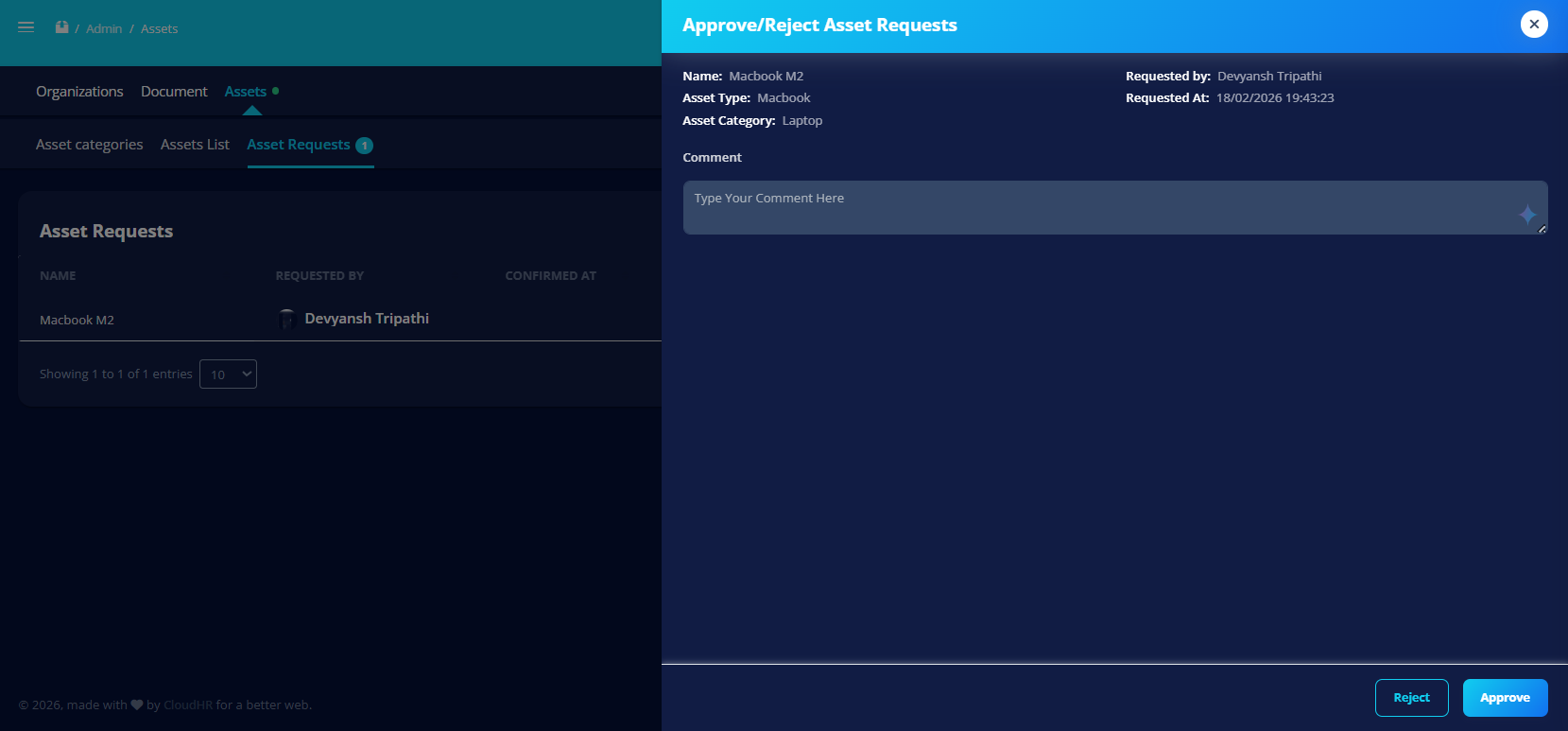
- Admin reviews request
- Request is approved or rejected
- Asset status updates accordingly
Request States
- Pending
- Approved
- Rejected
- Assigned
Assignment Control
When approved:
- Asset status changes to Assigned
- Asset becomes locked from manual status change
- Linked to requesting employee
Permission-Based Visibility
Tabs and actions are shown based on permissions:
- View asset assignments
- Approve asset requests
- Manage asset allocation
Best Practice
- Always verify asset availability before approval
- Keep request notes clear
- Monitor frequently assigned assets
Why It Matters
Asset Requests ensure:
- Controlled distribution
- Audit trail
- Transparent assignment process
- Reduced asset misuse