Onboarding Plans
The Onboarding section helps you create structured onboarding programs for new employees.
An onboarding plan defines:
- What new hires need to complete
- Which organization it applies to
- The status of the onboarding workflow
- A description of the onboarding process
Where to Find It
Go to:
Employees → Onboardings
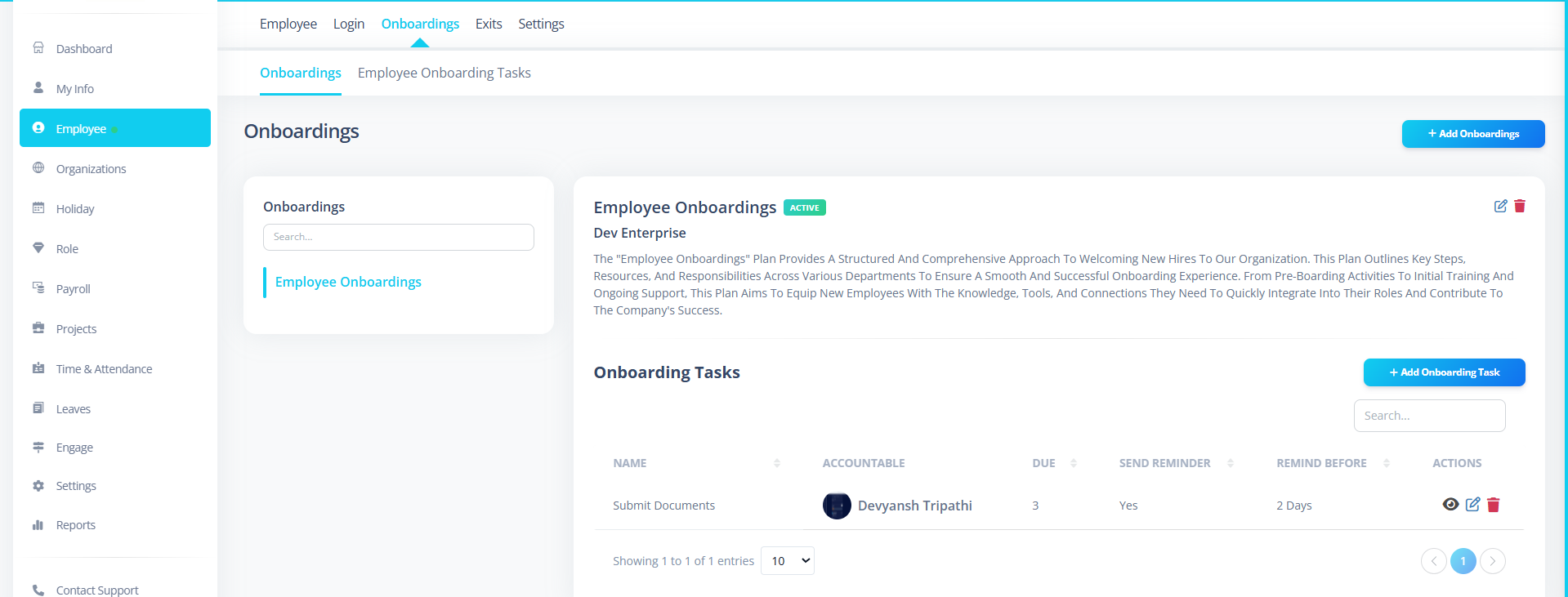
You will see:
- A list of onboarding plans (left side)
- Plan details (right side)
- "Add Onboarding" button
Step 1: Create a New Onboarding Plan
If you have permission, click:
+ Add Onboarding
Step 2: Fill Basic Details
You must complete the following fields:
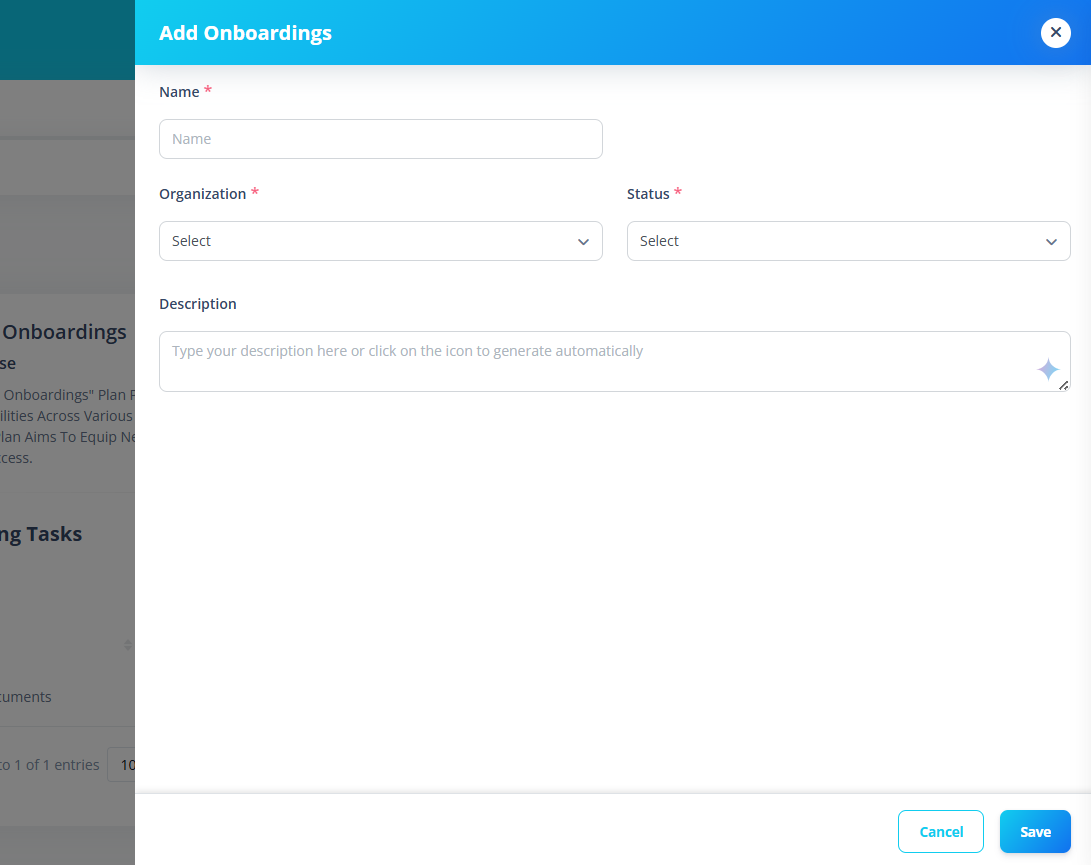
Name (Required)
This is the title of the onboarding plan.
Examples:
- IT Department Onboarding
- Sales Executive Onboarding
- Remote Employee Onboarding
Keep the name clear and descriptive.
Organization (Required)
Select the organization where this onboarding plan applies.
This ensures:
- The plan is linked correctly
- It appears only for relevant employees
Status (Required)
Choose:
- Active → Plan can be used
- Inactive → Plan cannot be assigned
Important: Only Active onboarding plans can be used for employees.
Description (Optional but Recommended)
Explain what this onboarding plan includes.
Example:
- HR documentation
- IT setup
- Training schedule
- Compliance forms
You can:
- Write it manually
- Use the AI icon to generate a description automatically
Step 3: Save the Plan
Click:
Save
If everything is valid:
- The onboarding plan is created
- It appears in the onboarding list
- Details are shown on the right panel
Step 4: View Onboarding Details
Click any onboarding plan from the list.
You will see:
- Plan Name
- Organization
- Status
- Description
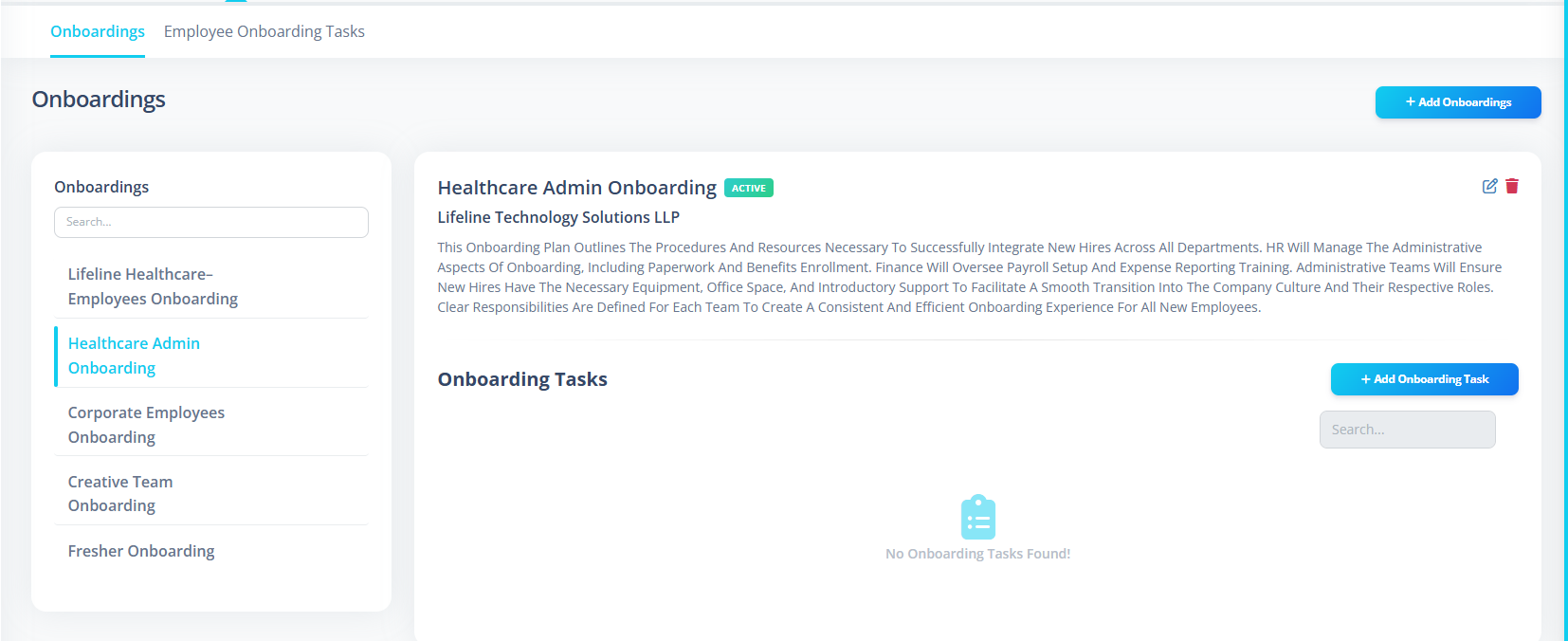
This is the overview of the onboarding program.
Step 5: Edit an Onboarding Plan
To edit:
- Select the onboarding plan
- Click Edit
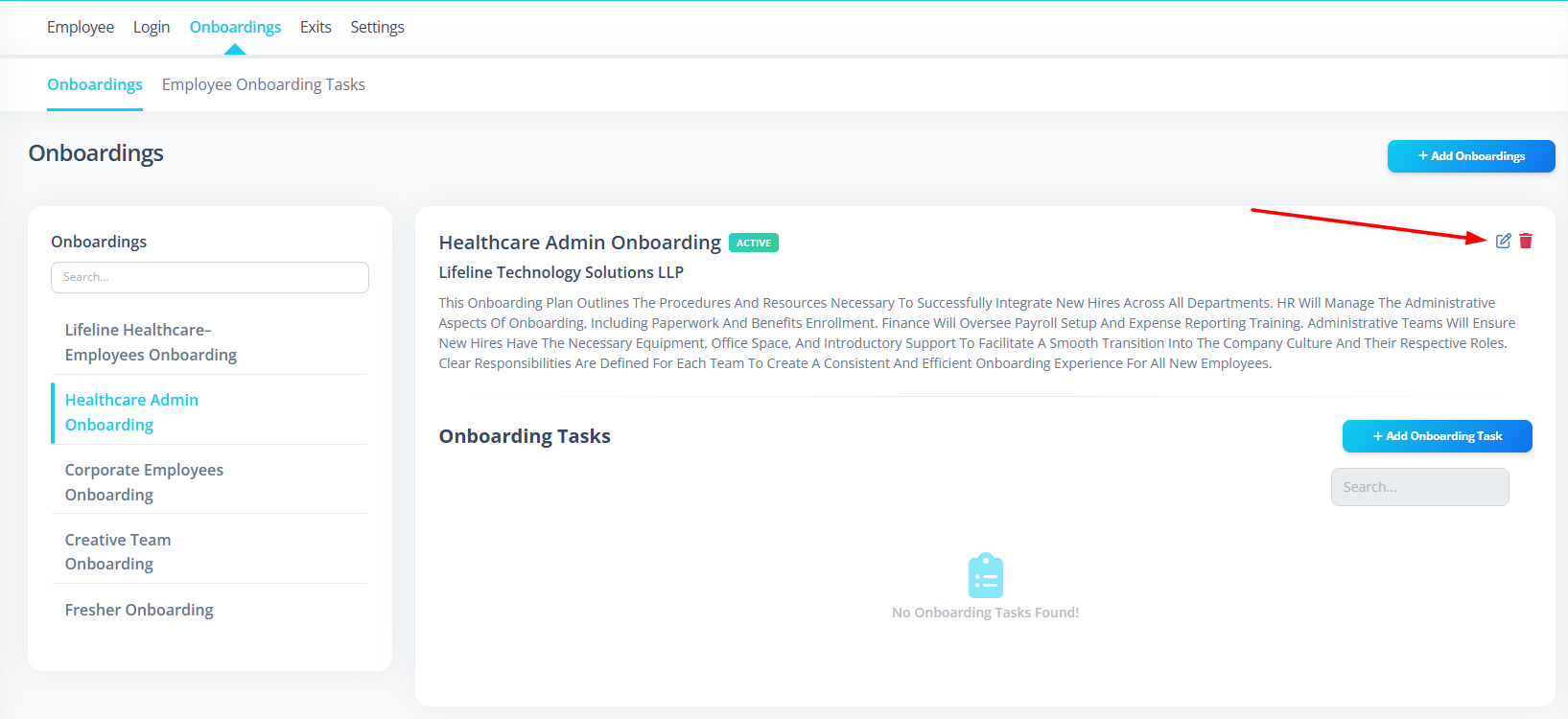
- Update necessary details
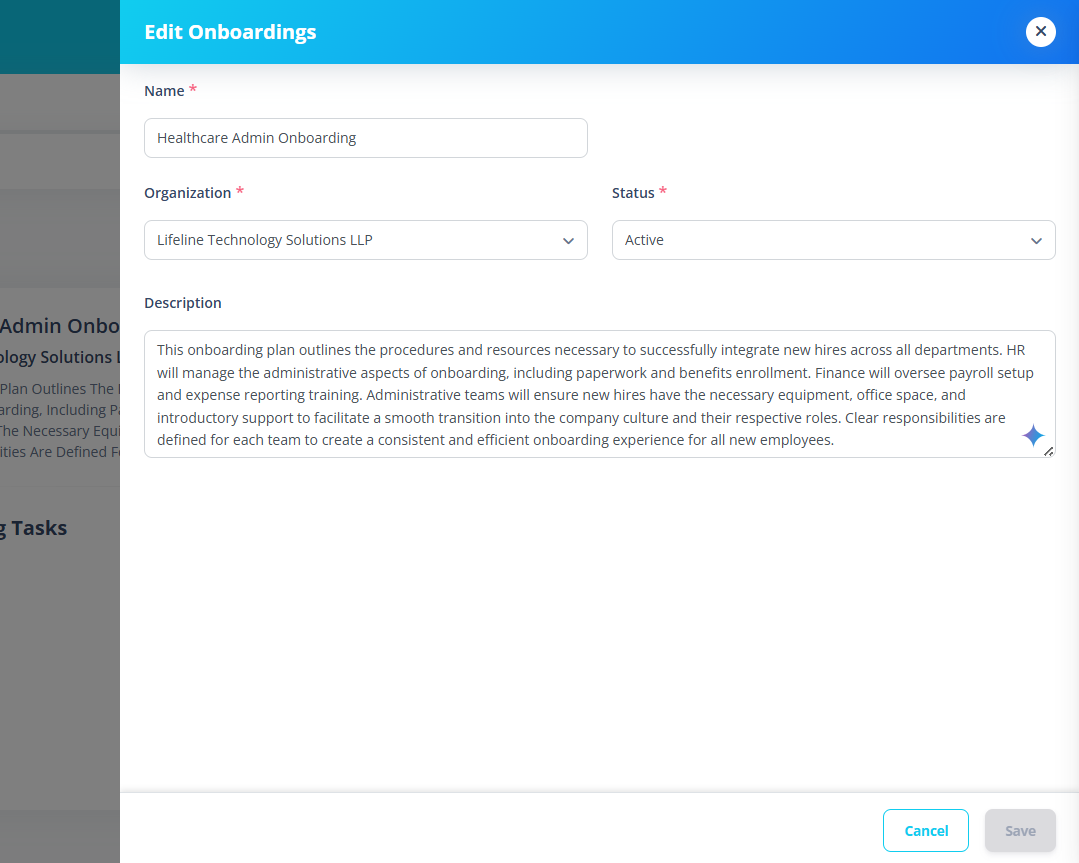
- Click Save
You can update:
- Name
- Organization
- Status
- Description
When Should You Create Multiple Onboarding Plans?
Create different onboarding plans if:
- Different departments have different processes
- Remote employees have a separate onboarding flow
- Different legal entities require different documentation
- Contract employees follow a different process
Important Notes for First-Time Users
- Always set the correct organization.
- Only Active plans can be used.
- Keep onboarding names simple and meaningful.
- Use the description field to document the onboarding structure clearly.
Example Use Case
Example:
You are onboarding a new Software Developer.
Create:
Software Developer Onboarding
Include in description:
- Laptop allocation
- Git access
- Project documentation
- HR paperwork
- Introduction meeting
Set status to:
Active
Now it is ready to be assigned to new hires.
Summary
The Onboarding section allows you to:
- Create structured onboarding plans
- Organize onboarding by organization
- Maintain active/inactive plans
- Keep onboarding processes standardized
This helps ensure every new employee has a smooth and consistent joining experience.