Employee Onboarding Tasks
Employee Onboarding Tasks are automatically assigned to an employee when onboarding is enabled in their Job Details.
This ensures a structured onboarding process for each new hire.
Step 1: Enable Onboarding for an Employee
To assign onboarding tasks, you must first enable onboarding in the employee’s job details.
Navigate to Job Details
- Go to:
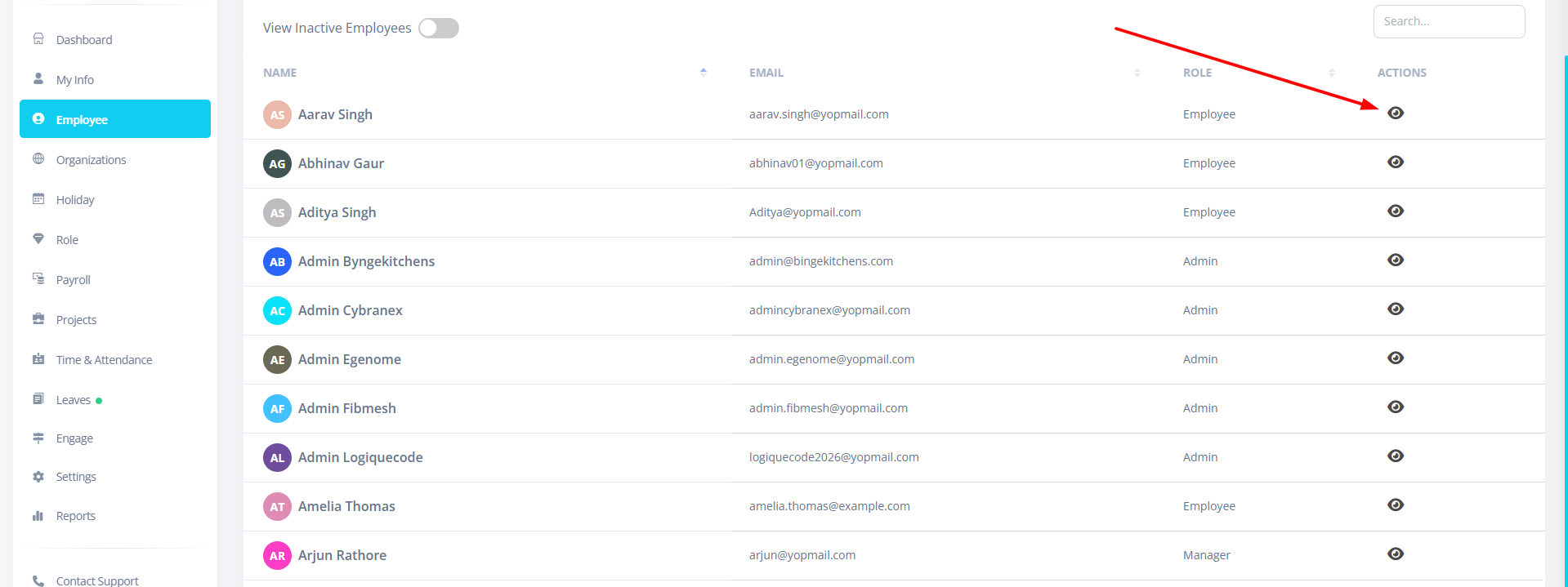
Employees - Click the View (👁) icon next to an employee.
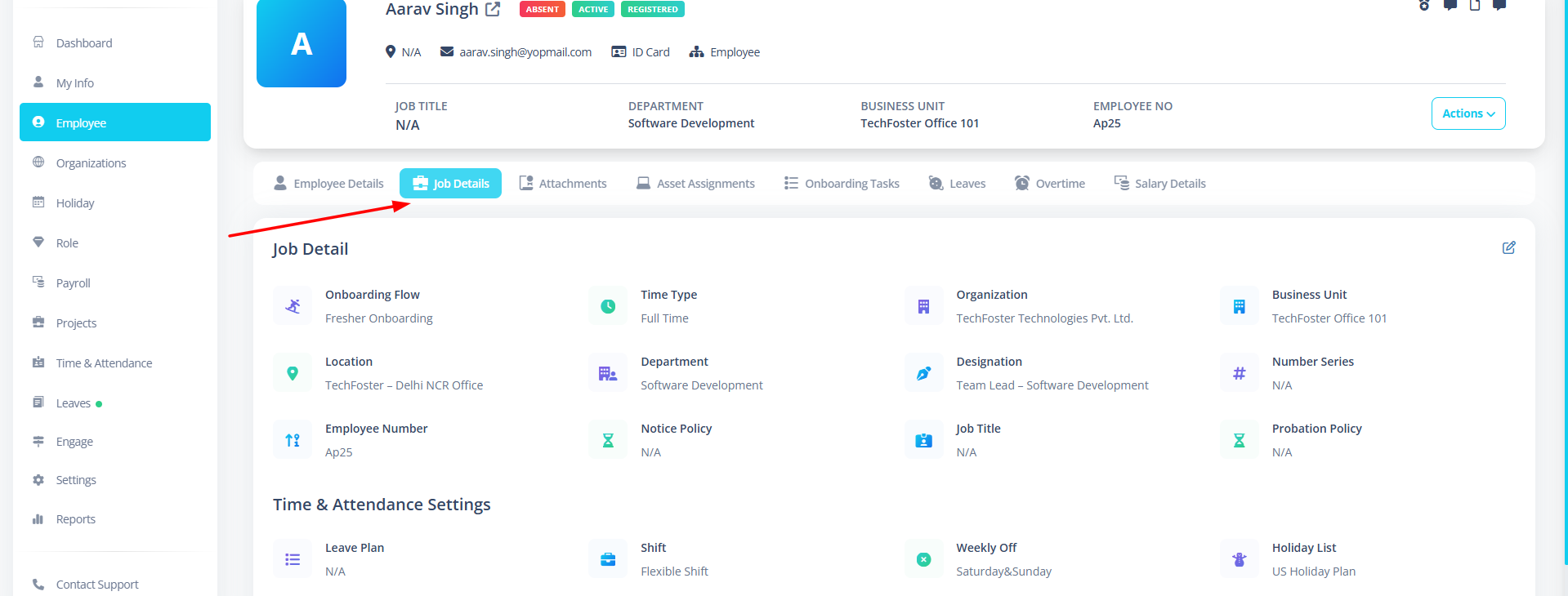
- Open the Job Details tab.
- Click Edit Job Details.
Enable Onboarding Flow
Inside the Job Details form:
-
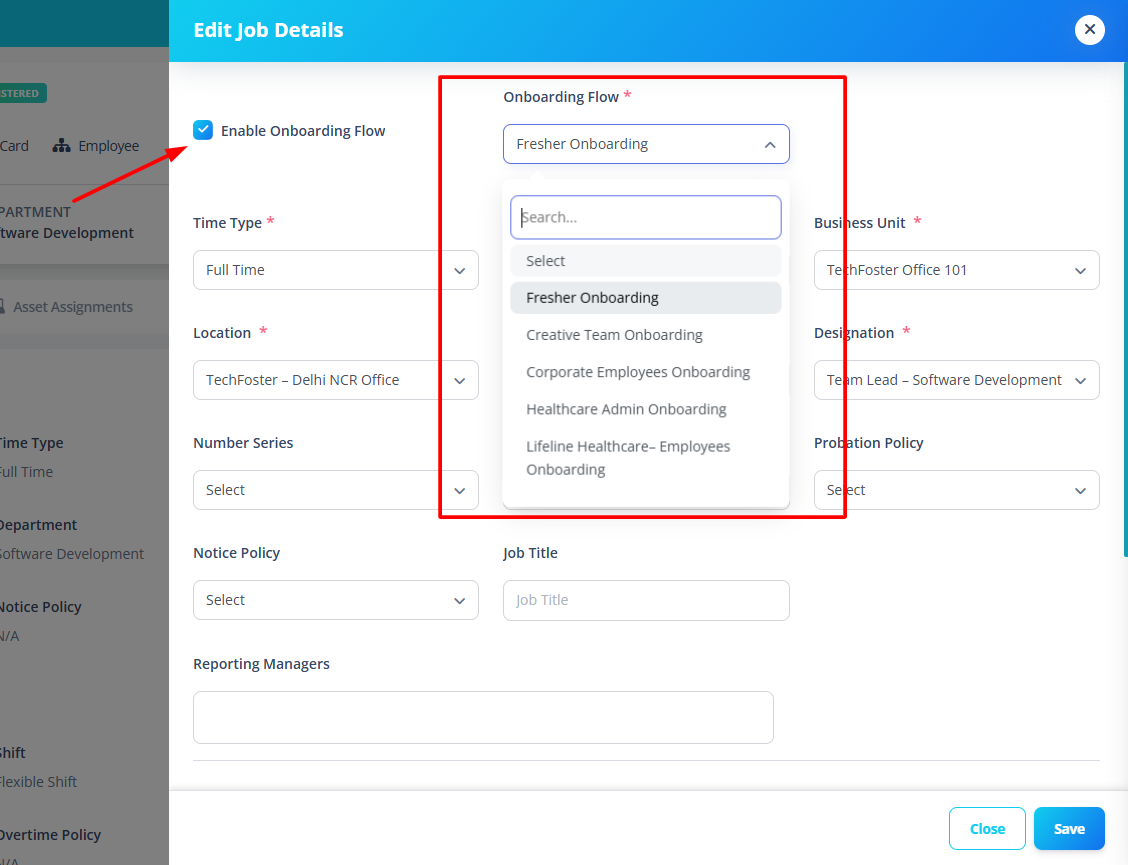
Check the checkbox:
Enable Onboarding Flow -
Select an Onboarding Flow from the dropdown.
This dropdown shows all available onboarding plans created in:
Employees → Onboardings
Save Job Details
Click:
Save
Once saved:
- Onboarding becomes active for the employee.
- Tasks from the selected onboarding plan are assigned to them.
Step 2: View Employee Onboarding Tasks
To see onboarding tasks assigned to employees:
- Go to:
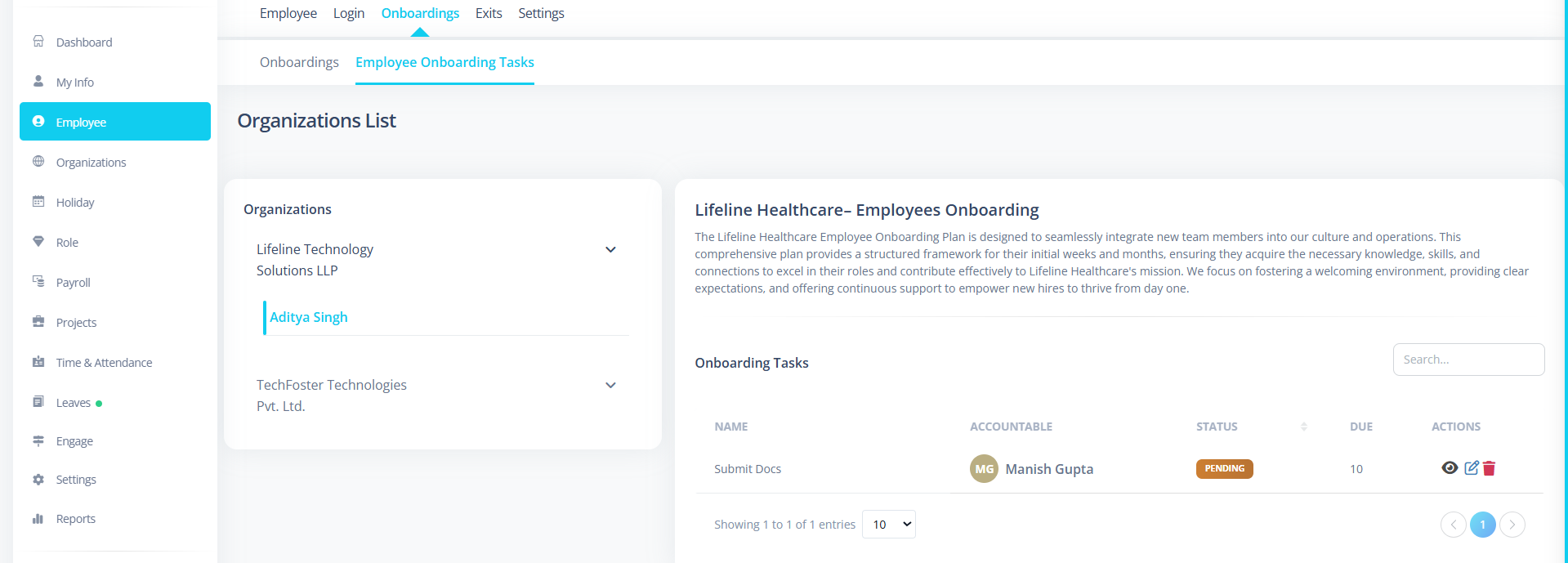
Employees → Onboardings → Employee Onboarding Tasks
You will see:
- Organization user list (left side)
- Task list for selected employee (right side)
Step 3: Select an Employee
- Select a user from the organization list.
- The system will load onboarding tasks assigned to that employee.
If onboarding is not enabled:
- No tasks will appear.
What You Will See
For the selected employee, you will see:
- Task Name
- Accountable person
- Due time (in days)
- Reminder status
- Reminder days
- Task description
These tasks are based on the onboarding plan selected in Job Details.
How It Works (Behind the Scenes)
- Admin creates an Onboarding Plan.
- Admin adds tasks to that plan.
- Admin enables onboarding for an employee.
- System assigns tasks automatically.
- Employee onboarding task list becomes available.
Important Notes for First-Time Users
- Onboarding must be enabled in Job Details first.
- Onboarding flow selection is mandatory if onboarding is enabled.
- Tasks are pulled from the selected onboarding plan.
- If onboarding is disabled, tasks will not be active.
- Changing onboarding flow will change assigned tasks.
Example Flow
-
HR creates:
Software Developer Onboarding Plan -
Adds tasks:
- Submit Documents
- Collect Laptop
- Complete Training
-
HR opens employee Job Details.
-
Enables Onboarding.
-
Selects "Software Developer Onboarding Plan".
-
Saves.
Result: Employee now has onboarding tasks assigned.
Summary
Employee Onboarding Tasks allow you to:
- Automatically assign onboarding tasks
- Track task completion per employee
- Maintain structured onboarding workflow
- Ensure compliance and readiness
This ensures every new employee completes required steps before fully joining operations.