Weekly Offs
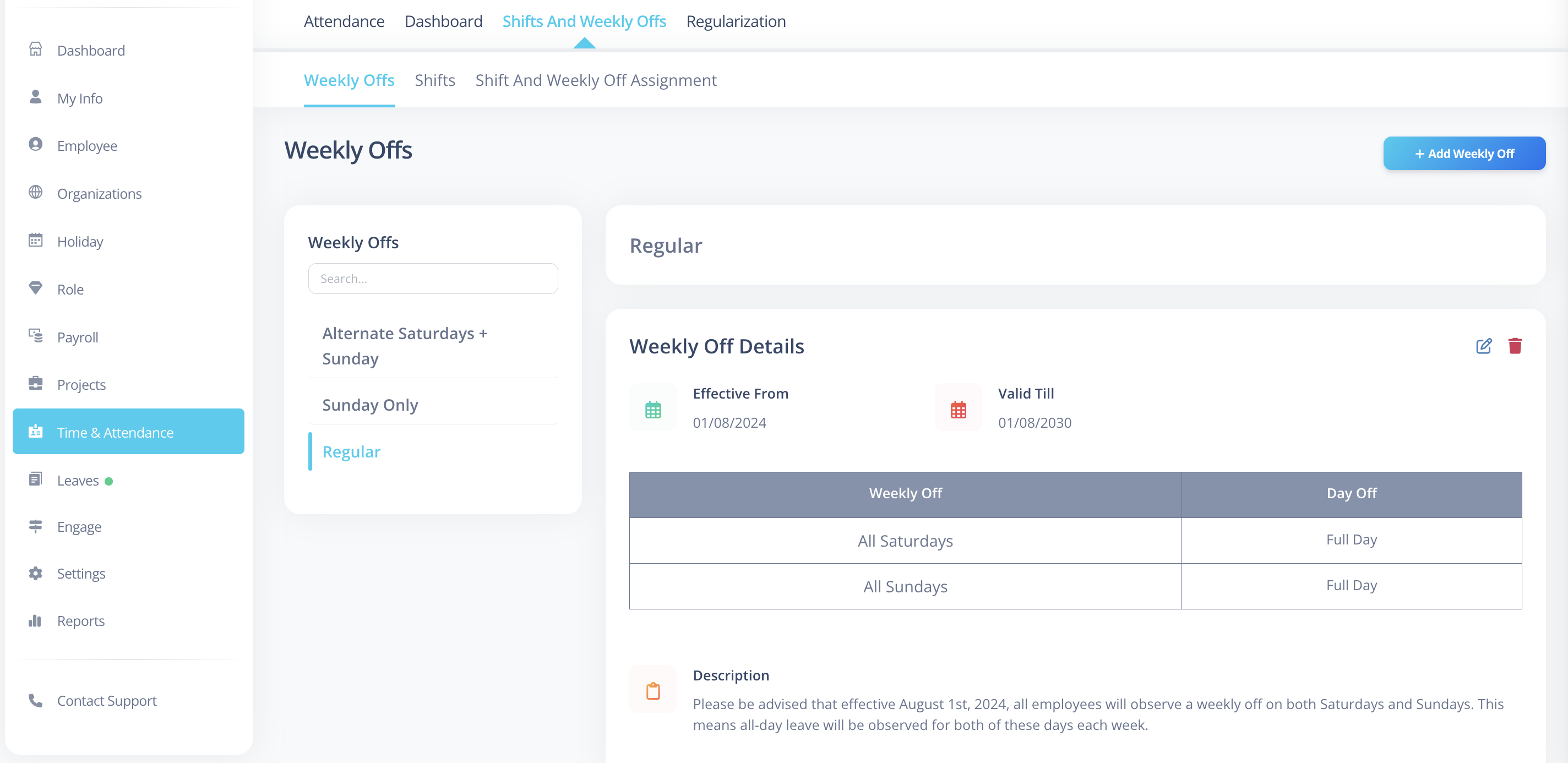
Weekly Offs define non-working days for employees in VoxHRM.
They determine which days are considered off in attendance calculations.
What is a Weekly Off?
A Weekly Off represents configured day(s) that are marked as non-working.
It allows you to:
- Define full-day weekly offs
- Define part-of-day weekly offs
- Set effective date range for applicability
How to Create a Weekly Off
- Log in to VoxHRM.
- Navigate to Attendance.
- Click Weekly Offs
- Click Add Weekly Off.
- Enter weekly off details.
- Configure day and session details.
- Click Save.
Required Fields
The following fields are mandatory:
| Field | Description |
|---|---|
| Name | Must be unique |
| Day Off Configuration | Define day and session details |
For each configured day, you must select:
- Day
- Weekly Off Option
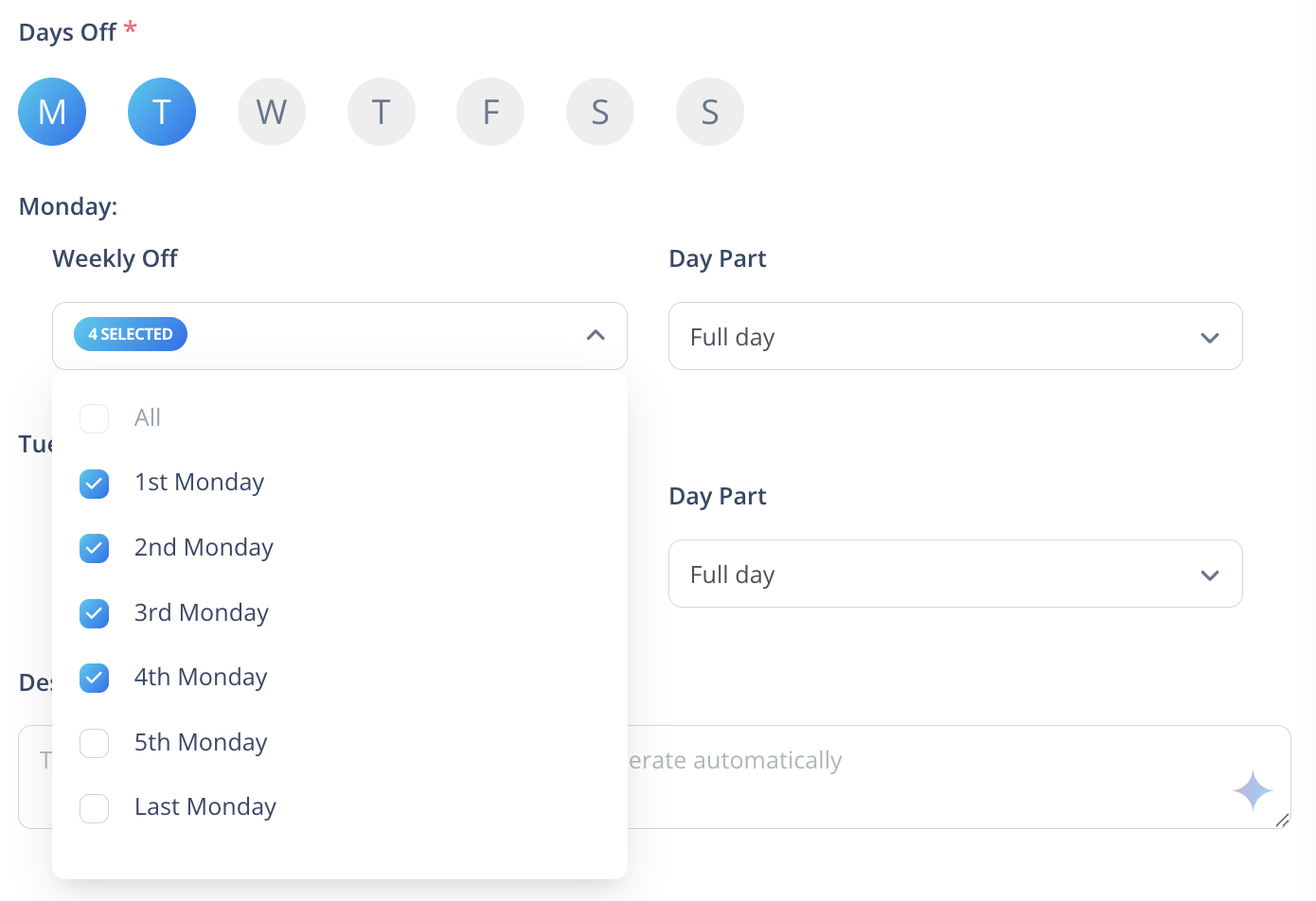
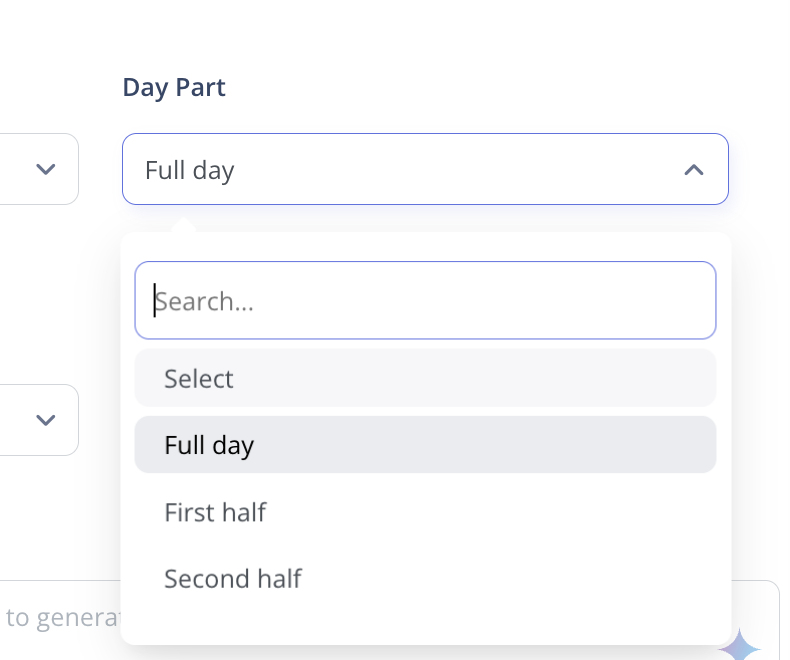
- Part of Day (Full Day, First Half, or Second Half)
Optional Fields
These fields can be configured now or updated later:
| Field | Description |
|---|---|
| Effective From | Date from which weekly off becomes active |
| Valid Till | Date until which weekly off is valid |
| Description | Additional details |
Important Rules
- Weekly Off Name must be unique.
- At least one day must be configured.
- For each configured day, you must select:
- Day
- Weekly Off Option
- Part of Day
Global Weekly Off
You can configure a Global Weekly Off in VoxHRM.
A Global Weekly Off:
- Acts as the default weekly off configuration.
- Applies automatically where no specific weekly off is assigned.
- Can be managed from App Settings.
This ensures weekly off rules are always defined, even if no individual configuration exists.
Best Practices
- Use clear and descriptive names (e.g., Sunday Off, Alternate Saturday).
- Verify effective dates before saving.
- Avoid overlapping configurations for the same time period.