Socials
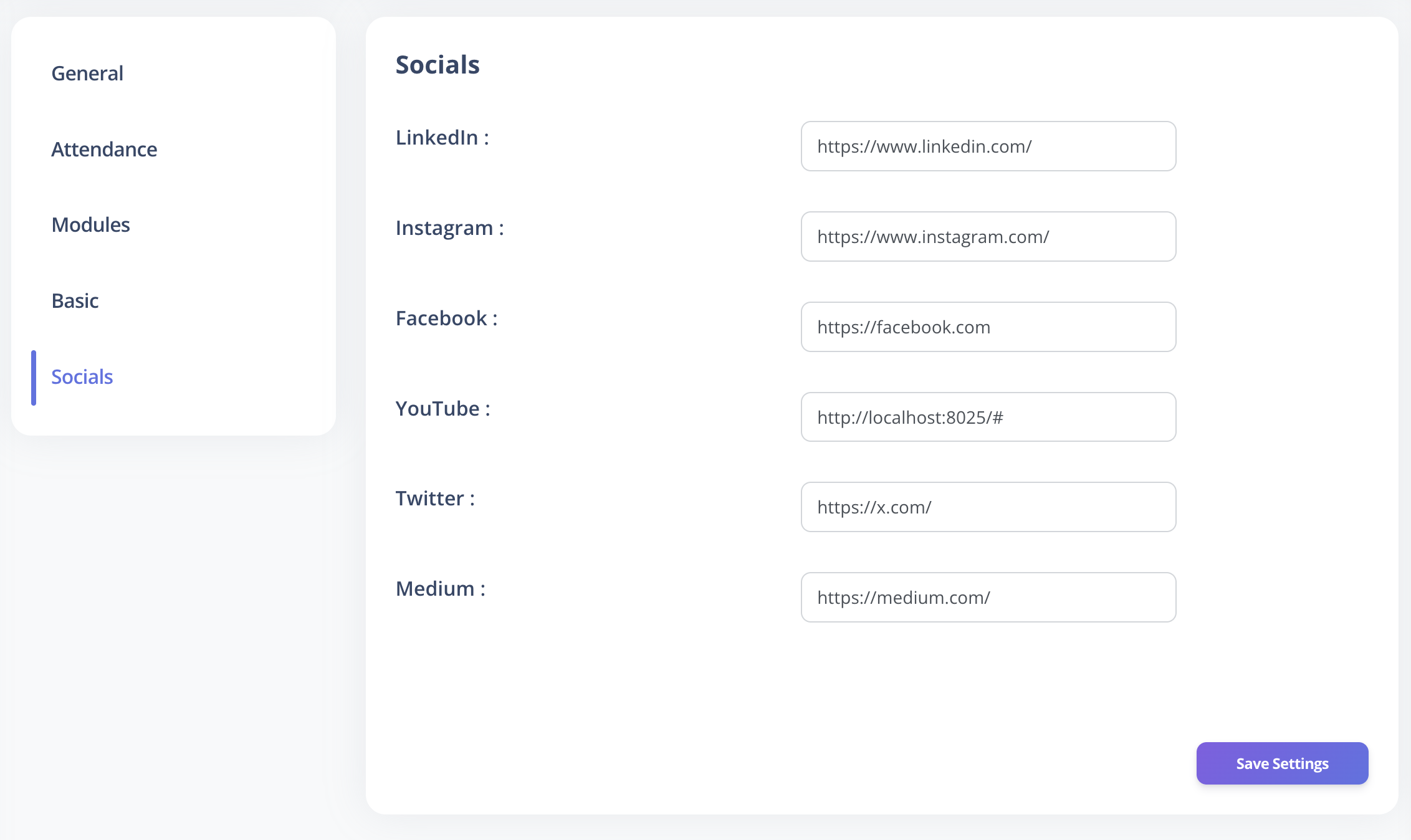
The Socials section in VoxHRM allows administrators to manage official social media links displayed in email communications.
These links typically appear in:
- System notification emails
- Approval emails
- Employee communication emails
Supported Platforms
You can configure links for the following platforms:
- YouTube – Company video channel
- Medium – Company blog or articles
- Facebook – Official company page
- X (Twitter) – Official company profile
- Instagram – Company profile
- LinkedIn – Company page
NOTE
Only links added here will appear in outgoing email templates.
How to Update Social Links
- Log in to VoxHRM as an Admin.
- Navigate to Settings → Socials.
- Enter the full URLs for the relevant social accounts.
- Click Save to apply changes.
Changes reflect in new outgoing emails after saving.
Validation Guidelines
- URLs must be valid and publicly accessible.
- Ensure links point to official company accounts.
- Avoid using personal or unofficial profiles.
TIP
Test updated links using an email preview or test notification to verify correct redirection.
Best Practices
- Keep social links updated to maintain brand consistency.
- Include only active and professionally maintained accounts.
- Periodically review links to ensure accuracy and relevance.