Holiday Plans
Holiday Plans define a structured set of holidays that can be assigned to employees.
Each employee is linked to a Holiday Plan, and holidays (including optional holidays) are managed within the plan.
Fields
| Field | Description |
|---|---|
| Name | Unique name of the holiday plan |
| Status | Active or Inactive |
| Optional Holidays Limit | Maximum number of optional holidays a user can opt for |
| Auto Opt-In Optional Holidays | Automatically opts users into optional holidays if no manual action is taken |
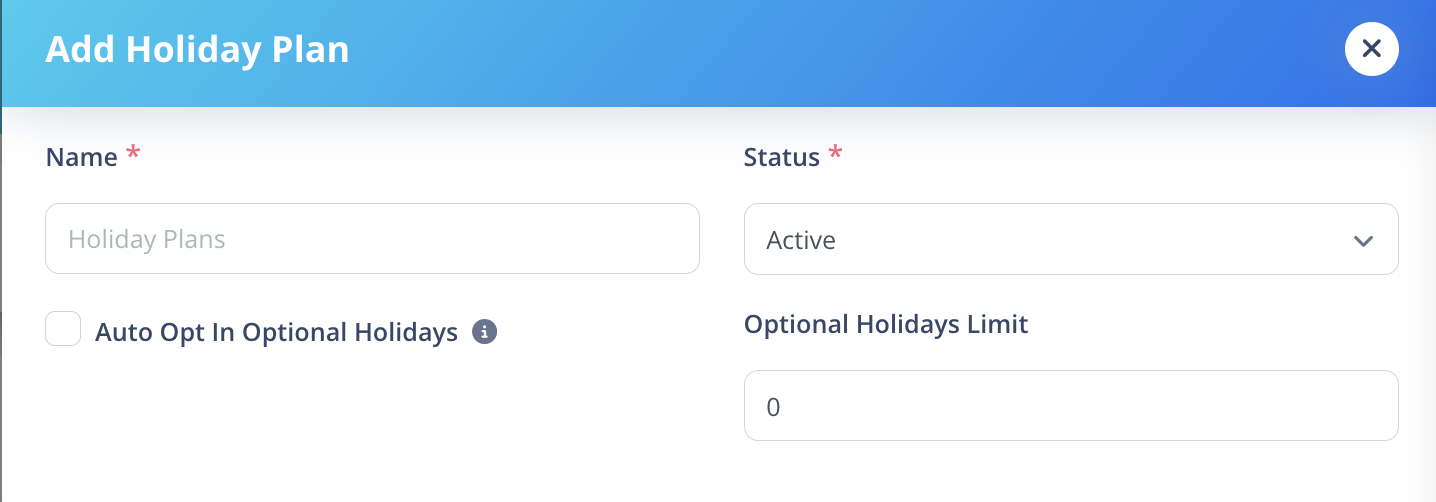
Field Behavior Explained
Status
- Active → Plan can be assigned and used.
- Inactive → Plan cannot be used for new assignments.
Optional Holidays Limit
You can create unlimited optional holidays inside a plan.
However, each user can only opt for up to the defined limit.
Example:
If limit = 2
User can select any 2 optional holidays from the list.
Auto Opt-In Optional Holidays
If enabled:
- If user has optional holiday quota available
- And has not manually opted in or opted out
- System automatically opts the user in
If a user manually opts in or opts out:
- Manual preference takes precedence.
How It Works
- Create a Holiday Plan.
- Open the Plan Details.
- Add Holidays inside the plan.
- Assign the plan to employees.
Holiday management happens inside each Holiday Plan.